Building templates
Ask only what applies
Show a section or a step only when an earlier answer calls for it, so people doing the checklist never see questions that do not apply.
On this page
A walkthrough asks "Any damage?". If the answer is Yes, there is more to do: photograph it, describe it. If the answer is No, those steps are noise. A follow-up rule tells a section or a step when to show, and the checklist keeps it out of the way the rest of the time.
Add a rule to a section or a step
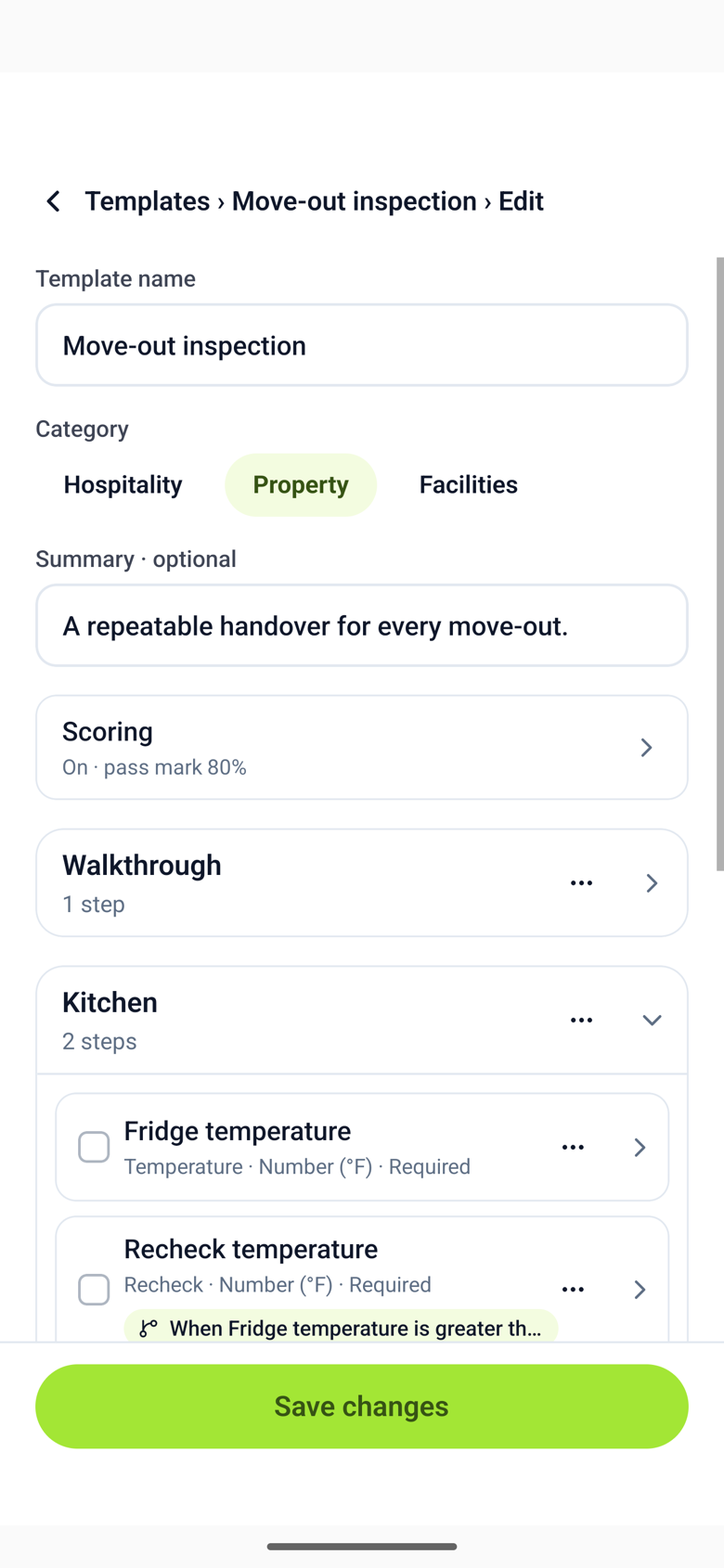
- Open the template and tap the section or the step, then Show only when….
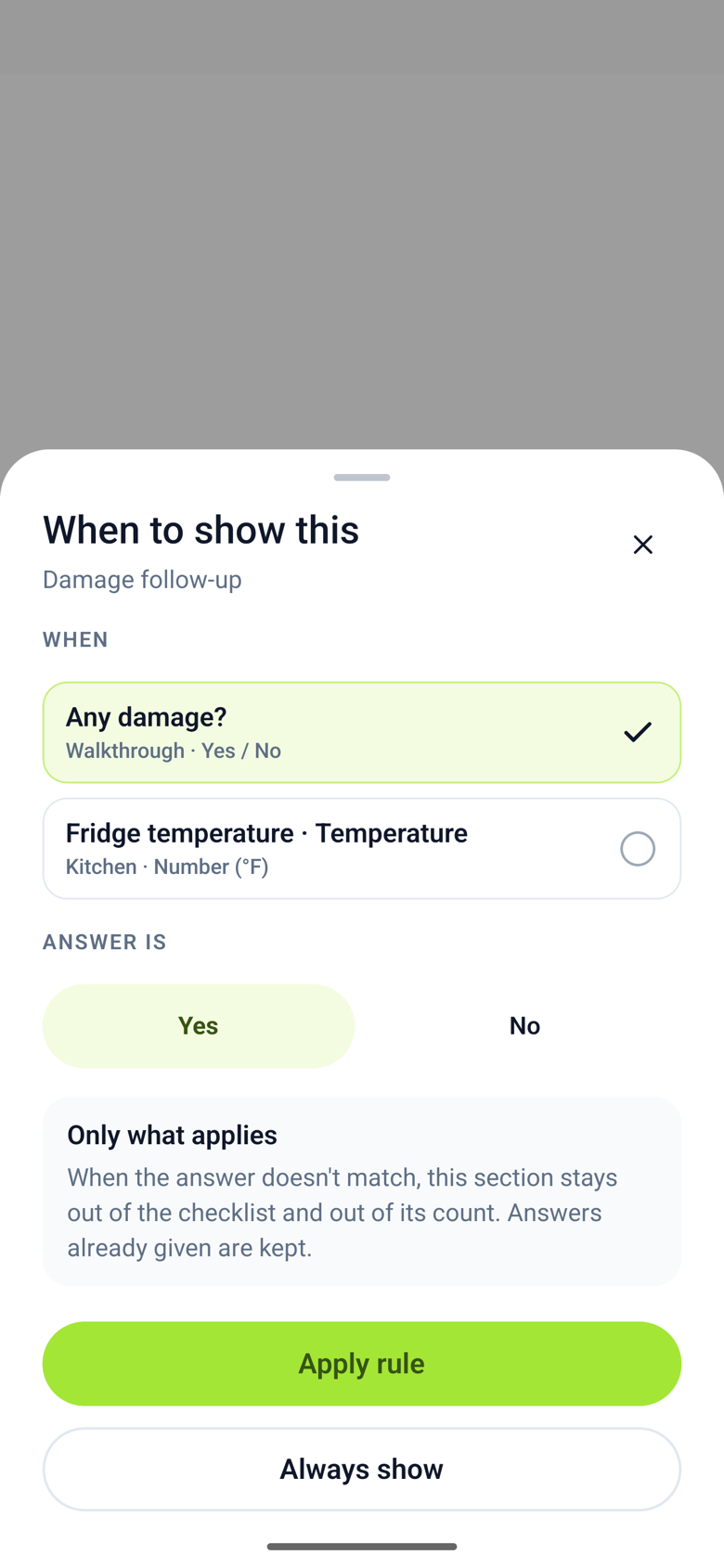
- Choose the earlier step and answer that decides it. A rule can look at a yes/no answer ("is Yes") or a number ("is greater than 40 °F", "is less than 2").
- Tap Apply rule. The outline shows the rule as a chip on the section or step. Tap it to change the rule, or choose Always show to remove it.
Only an earlier step can decide a later one. A step that is itself shown by a rule cannot decide another, so rules never chase each other.
What people doing the checklist see
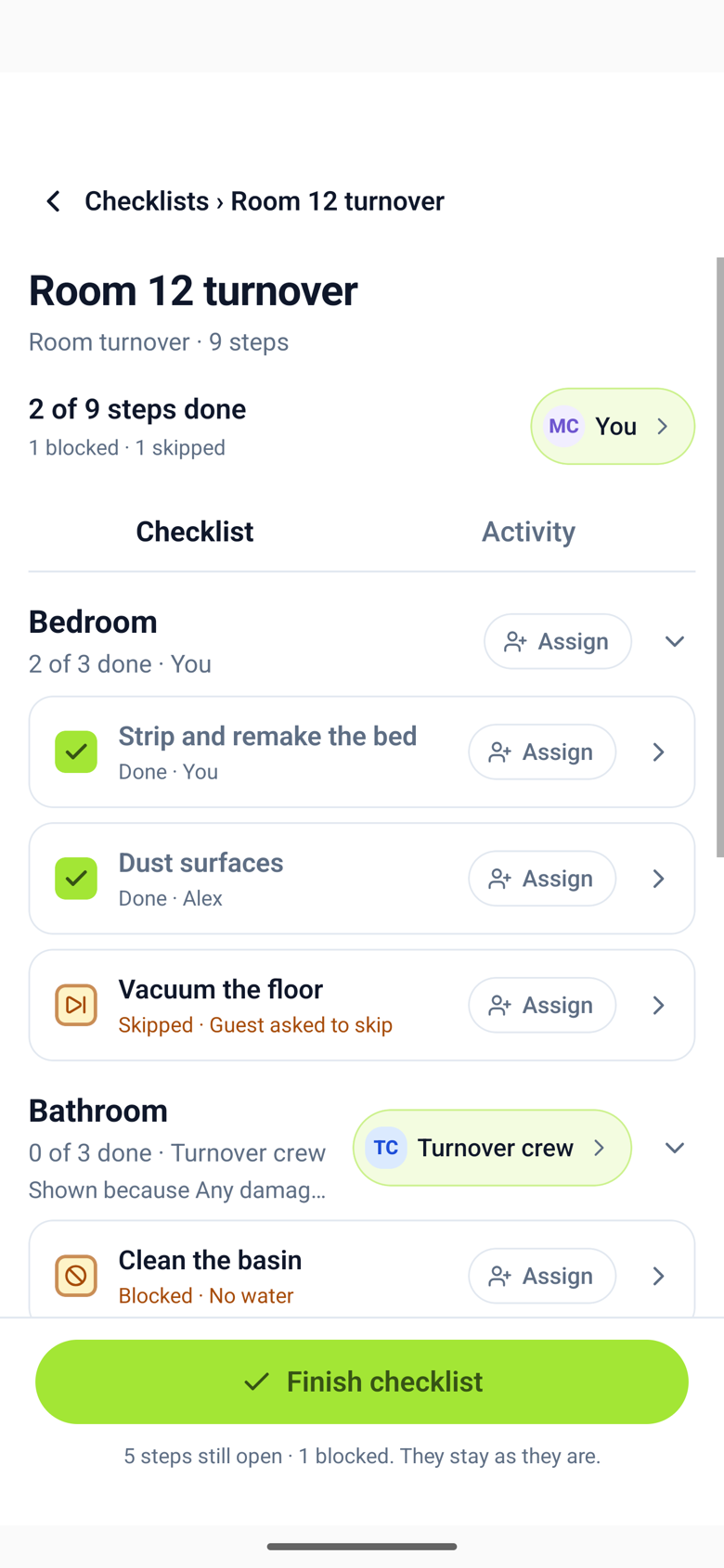
The driver step looks like any other. Once it is answered, the sections and steps that apply appear below it with a line that says why, such as "Shown because Any damage? is Yes". Steps that do not apply are not shown at all, and the checklist's count of steps done does not include them.
Changing an answer later
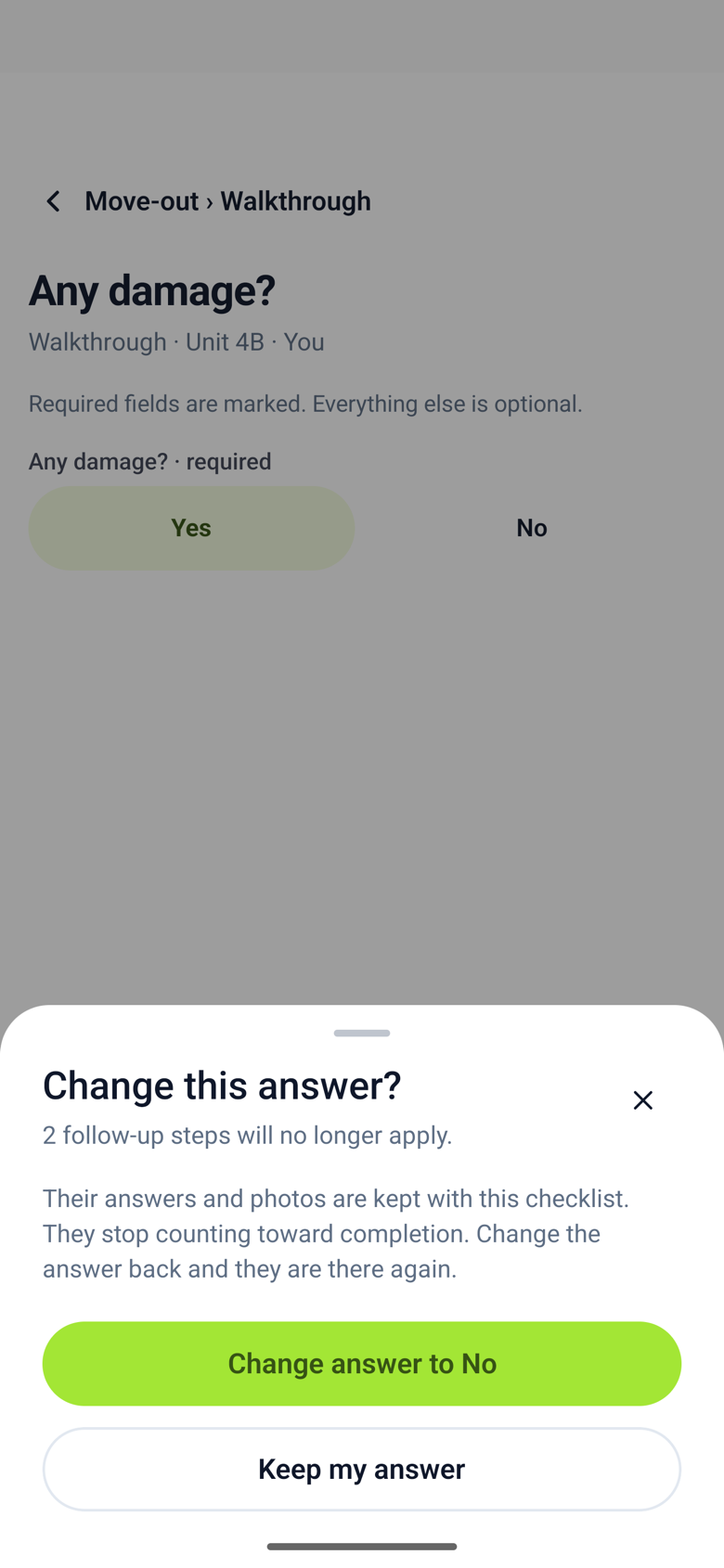
If someone answers Yes, photographs the damage, and then changes the answer to No, the app says what will happen: the follow-up steps stop applying, and their answers and photos are kept, not deleted. Change the answer back and they are there again. The activity feed records all of it.
When a rule breaks
If you remove the step a rule looks at, the template cannot be saved until you choose another step for the rule or set the section to always show. The outline points at the rule that needs attention.
Rules belong to the template. A checklist that has already started keeps the rules it started with, even if you change the template afterwards.